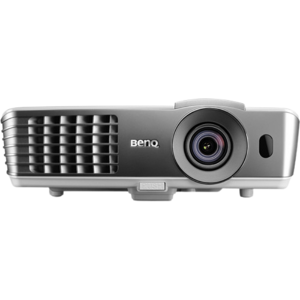
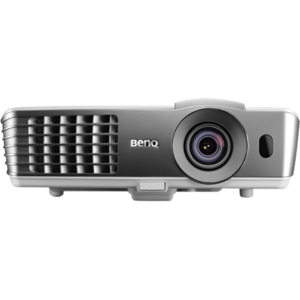
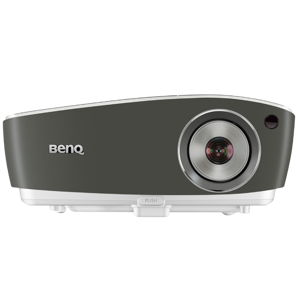
Yep, we may get a tiny thank-you (read: commission) when you buy through
links on Techspotr — not enough for a yacht, but enough to keep the lights (and
servers) on.
Learn more
77
Highlights
47
Differences
10
Reactions
0
Likes
BenQ W1080ST
vs
BenQ W1070:
77 Highlights & 47 Differences —
So, Which Projector Actually Works Better
Explore key features and specs that set these BenQ projectors apart. Find what matters for your usage.
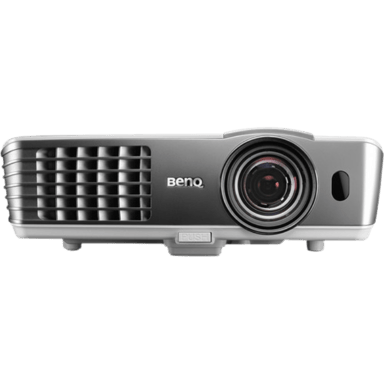
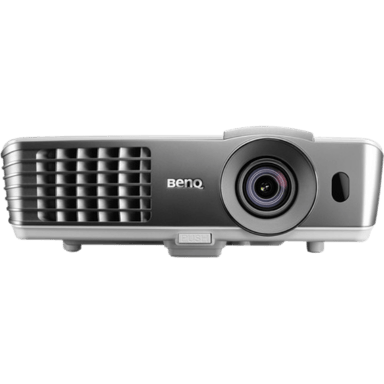
We ran a full comparison of BenQ W1080ST and BenQ W1070 — diving into product type, native resolution, throw ratio & lens material, standout features, and what makes each projector unique.
Color Wheel Speed (for DLP): 6x
Defines the rotational speed of the DLP color wheel, affecting color accuracy and rainbow artifact reduction.
with 19 points higher
Replacement Lamp Model: Standard Lamp
Defines the type or class of replacement lamp or light module compatible with the projector.
with 8 points higher
Color Wheel Speed (for DLP): 6x
Defines the rotational speed of the DLP color wheel, affecting color accuracy and rainbow artifact reduction.
with 19 points higher
Replacement Lamp Model: Standard Lamp
Defines the type or class of replacement lamp or light module compatible with the projector.
with 8 points higher
BenQ W1080ST vs BenQ W1070: Which Full HD Projector Fits Your Space?
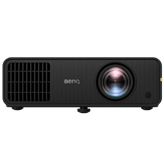
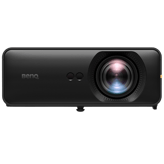
The BenQ W1080ST and W1070 are both solid contenders in the home theater space, delivering native 1080p Full HD clarity with 2000 lumens brightness and classic DLP projection technology. They share many baseline features such as manual focus, 10W audio speakers, and versatile mounting options, including tabletop and ceiling setups. However, they diverge significantly when it comes to throw distance, build quality, and image processing capabilities. Both projectors offer the crisp 1080p resolution, yet the W1080ST supports a short throw ratio of 0.5-1.0, making it well-suited for compact rooms by fitting impressive image sizes from closer distances. Conversely, the W1070 sports a standard throw range of 1.0-1.5, ideal for spaces with more distance between the projector and the screen. Both carry similar power demands, consuming around 353W in typical usage, yet the W1080ST pairs a more robust build of plastic and metal compared to the all-plastic W1070. This makes the former a premium option with additional features like skin tone correction for a cinema-optimized experience versus the W1070's balanced sharpness enhancement and faster color wheel.
The Compact Powerhouse: BenQ W1080ST's Winning Features
The W1080ST stands out as a short-throw projector capable of generating a massive screen size up to 300 inches diagonally, which is significantly larger than the W1070's 235-inch limit. This capability shines in small living areas or rooms where ceiling or tabletop mounting options must be flexible. In addition to the space-saving design, the W1080ST brings a dual-material chassis blending plastic and metal for extra durability and a slick white and silver finish, pushing its appeal beyond just functionality.
From an image processing perspective, the W1080ST incorporates a cinema-optimized scaling engine that enhances color fidelity along with dedicated skin tone correction. These features improve natural hues and produce more lifelike visuals, especially favorable for movie enthusiasts. Even though it operates with a slightly slower 4x color wheel speed and a plastic lens, the overall image experience is tailored for cinematic pleasure rather than pixel-perfect sharpness.
Additional perks include an extended warranty option, offering extra peace of mind for those investing in a premium projector. The W1080ST handles power voltage from 100-240V, ensuring compatibility worldwide.
Classic Elegance with the W1070's Optical Edge
Though the BenQ W1070 is an older design with a standard throw ratio, it carves its niche through optical refinement and user-friendly controls. Featuring a high-quality glass lens, it provides potentially clearer and sharper images than the W1080ST's plastic lens. Supported by a more aggressive 2-4 balanced sharpness enhancement, it enhances edge definition and detail accuracy for viewers who prioritize image crispness.
The W1070 also offers a smoother user interface experience, thanks to its icon-based menus, which many find more intuitive than the W1080ST's list-style navigation. The projector boasts fast input switching around 3 seconds, facilitating easy transitions between sources during presentations or entertainment sessions.
With a slightly tougher environmental tolerance featuring a basic dust resistance rating and a minimum operation temperature of 41°F, the W1070 can endure more challenging setups. Plus, its price pointof around $799.99 at BenQ and other retailers positions it as an affordable, capable option for home cinema enthusiasts on a budget.
Quick Take
The BenQ W1080ST shines in spaces where distance is limited, providing stunningly large projections up to 300 inches combined with cinema-grade color fidelity and a rugged mixed-material build. Meanwhile, the BenQ W1070 excels with superior lens quality, balanced sharpness, and an intuitive user interface, all wrapped in a wallet-friendly package.
Bottom Line
If you have a tight space but crave a big screen with vivid colors and premium durability, the BenQ W1080ST is worth the investment at around $1299. However, if you're okay with a bit more distance from your screen and want sharp, clear images with friendlier pricing, the BenQ W1070 remains a solid choice, delivering great value and user experience for home theater setups.
Verdict
Winner: BenQ W1080ST - Offers a versatile short-throw design with a bigger max screen, improved color processing,g including skin tone correction, and a sturdier metal-inclusive build.
Runner-up: BenQ W1070 - Delivers sharper image quality via glass lens and enhanced sharpness control, a more intuitive UI, and a significantly cheaper price tag for budget-conscious users.
Side by side. The numbers. The features. No drama.
From specs to real-life pros and cons, we broke down everything you need to know about BenQ W1080ST vs BenQ W1070. This is your go-to projectors comparison if you want clarity before buying — no fluff, just useful insights.
BenQ W1080ST is built from Plastic and Metal materials, whereas BenQ W1070 is made from Plastic only, possibly indicating a more robust build in W1080ST.
Specifies the main construction material of the chassis.
In the battle of Build Material,
BenQ W1080ST ◉ is
better than
BenQ W1070 ◉
, delivering
higher
2 score
measurement.
Don’t keep it to yourself — be the first to react and review the
Build Material on BenQ W1080ST ◉
vs BenQ W1070 ◉ and help others decide!
The Sharpness Enhancement Type in BenQ W1080ST is minimal (0–1), while in BenQ W1070 it is balanced (2–4), suggesting W1070 applies more image sharpening than W1080ST.
What is the sharpness enhancement level?
In the battle of Sharpness Enhancement Type,
BenQ W1080ST ◉ is
worse than
BenQ W1070 ◉
, delivering
lower
28 score
measurement.
Based on community votes for Sharpness Enhancement Type,
BenQ W1080ST ◉ earned
0 votes,
less than
BenQ W1070 ◉,
which got 1 votes.
Neither BenQ W1080ST nor BenQ W1070 supports Frame Interpolation, so neither provides motion smoothing technology.
Allows smoother motion for sports and fast scenes.
In the battle of Frame Interpolation,
BenQ W1080ST ◉ is
same as
BenQ W1070 ◉
.
Don’t keep it to yourself — be the first to react and review the
Frame Interpolation on BenQ W1080ST ◉
vs BenQ W1070 ◉ and help others decide!
Maximum Supported Resolution
What is the maximum supported resolution of this projector?
56
BenQ W1080ST
0Votes
WUXGA (1920 x 1200)
49
BenQ W1070
0Votes
WUXGA (1920 x 1200)
BenQ W1080ST
Maximum supported resolution is WUXGA (1920 x 1200 pixels), providing Full HD-quality images with some extra vertical pixels for detail.
The highest resolution signal the projector can accept.
In the battle of Maximum Supported Resolution,
BenQ W1080ST ◉ is
better than
BenQ W1070 ◉
, delivering
higher
7 score
measurement.
Don’t keep it to yourself — be the first to react and review the
Maximum Supported Resolution on BenQ W1080ST ◉
vs BenQ W1070 ◉ and help others decide!
Peak ANSI Lumens
What is the peak ANSI lumens of this projector?
2,000
lumen
0Votes
2,000
lumen
0Votes
BenQ W1080ST
Peak ANSI brightness is 2000 lumens, suitable for moderately lit rooms and detailed image projection.
Industry-standard brightness measurement using ANSI method.
In the battle of Peak ANSI Lumens,
BenQ W1080ST ◉ is
same as
BenQ W1070 ◉
, delivering
equal
2,000.00 lumen
measurement.
Don’t keep it to yourself — be the first to react and review the
Peak ANSI Lumens on BenQ W1080ST ◉
vs BenQ W1070 ◉ and help others decide!
Dynamic Lumens
What is the dynamic lumens rating?
2,000
lumen
0Votes
2,000
lumen
0Votes
BenQ W1080ST
The dynamic brightness output is 2000 lumens, suitable for home theater environments with controlled lighting.
Measures boosted brightness in enhanced dynamic modes.
In the battle of Dynamic Lumens,
BenQ W1080ST ◉ is
same as
BenQ W1070 ◉
, delivering
equal
2,000.00 lumen
measurement.
Don’t keep it to yourself — be the first to react and review the
Dynamic Lumens on BenQ W1080ST ◉
vs BenQ W1070 ◉ and help others decide!
Color Bit Depth
What is the color bit depth?
8
bit
0Votes
Who knows?
0Votes
BenQ W1070
(Help us out by suggesting one!)
BenQ W1080ST
It supports a color bit depth of 8 bit, which is standard for representing 16.7 million colors, delivering good color gradients and accuracy.
Determines how finely color gradients are rendered.
Don’t keep it to yourself — be the first to react and review the
Color Bit Depth on BenQ W1080ST ◉
vs BenQ W1070 ◉ and help others decide!
Refresh Rate
What is the refresh rate?
120
Hz
0Votes
60
Hz
0Votes
BenQ W1080ST
The refresh rate is 120 Hz, reducing flicker and motion blur for smoother video playback and gaming experiences.
Determines motion smoothness for gaming and video.
In the battle of Refresh Rate,
BenQ W1080ST ◉ is
better than
BenQ W1070 ◉
, delivering
higher
60.0 Hz
measurement.
Don’t keep it to yourself — be the first to react and review the
Refresh Rate on BenQ W1080ST ◉
vs BenQ W1070 ◉ and help others decide!
Contrast Ratio
What is the contrast ratio of this projector?
0
BenQ W1080ST
0Votes
10,000:1
0
BenQ W1070
0Votes
10,000:1
Represents the difference between the darkest black and brightest white produced by the projector.
In the battle of Contrast Ratio,
BenQ W1080ST ◉ is
same as
BenQ W1070 ◉
.
Don’t keep it to yourself — be the first to react and review the
Contrast Ratio on BenQ W1080ST ◉
vs BenQ W1070 ◉ and help others decide!
Dynamic Contrast Ratio
Deep dynamic contrast at :val.
0
BenQ W1080ST
0Votes
10,000:1–50,000:1
1
BenQ W1070
0Votes
10,000:1–50,000:1
What is the dynamic contrast ratio?
In the battle of Dynamic Contrast Ratio,
BenQ W1080ST ◉ is
worse than
BenQ W1070 ◉
, delivering
lower
1 score
measurement.
Don’t keep it to yourself — be the first to react and review the
Dynamic Contrast Ratio on BenQ W1080ST ◉
vs BenQ W1070 ◉ and help others decide!
Color Gamut Coverage
What is the color gamut coverage?
Who knows?
0Votes
BenQ W1080ST
(Help us out by suggesting one!)
100
%
0Votes
Indicates percent coverage of color spaces such as Rec.709 or DCI-P3.
Don’t keep it to yourself — be the first to react and review the
Color Gamut Coverage on BenQ W1080ST ◉
vs BenQ W1070 ◉ and help others decide!
HDR Format Support
What HDR formats does this projector support?
Who knows?
0Votes
BenQ W1080ST
(Help us out by suggesting one!)
Who knows?
0Votes
BenQ W1070
(Help us out by suggesting one!)
Specifies which HDR formats the projector can display.
Don’t keep it to yourself — be the first to react and review the
HDR Format Support on BenQ W1080ST ◉
vs BenQ W1070 ◉ and help others decide!
HDR Peak Brightness
What is the HDR peak brightness?
Who knows?
0Votes
BenQ W1080ST
(Help us out by suggesting one!)
Who knows?
0Votes
BenQ W1070
(Help us out by suggesting one!)
How bright the projector can go during HDR highlights.
Don’t keep it to yourself — be the first to react and review the
HDR Peak Brightness on BenQ W1080ST ◉
vs BenQ W1070 ◉ and help others decide!
Motion Processing Type
Smooth motion processing with level :val.
1
BenQ W1080ST
0Votes
0–1 (Minimal)
39
BenQ W1070
0Votes
2–5 (Standard)
What is the motion processing level?
In the battle of Motion Processing Type,
BenQ W1080ST ◉ is
worse than
BenQ W1070 ◉
, delivering
lower
38 score
measurement.
Don’t keep it to yourself — be the first to react and review the
Motion Processing Type on BenQ W1080ST ◉
vs BenQ W1070 ◉ and help others decide!
The Throw Ratio of BenQ W1080ST is 0.5–1.0 (Short Throw), whereas BenQ W1070 has a range of 1.0–1.5 (Standard), meaning W1080ST projects larger images from shorter distances than W1070.
What is the throw ratio?
In the battle of Throw Ratio,
BenQ W1080ST ◉ is
better than
BenQ W1070 ◉
, delivering
higher
8 score
measurement.
Based on community votes for Throw Ratio,
BenQ W1080ST ◉ earned
1 votes,
more than
BenQ W1070 ◉,
which got 0 votes.
Who knows?
0Votes
BenQ W1070
(Help us out by suggesting one!)
vs
Keystone Correction Horizontal
BenQ W1080ST has zero degrees Horizontal Keystone Correction, but BenQ W1070's horizontal keystone correction is not available, possibly limiting adjustment options on W1070.
Horizontal angle adjustment to correct image distortion.
Don’t keep it to yourself — be the first to react and review the
Keystone Correction Horizontal on BenQ W1080ST ◉
vs BenQ W1070 ◉ and help others decide!
Minimum Throw Distance
What is the minimum throw distance?
3.3
ft
0Votes
3.3
ft
0Votes
BenQ W1080ST
Minimum throw distance is 3.3 ft (1.01 m), enabling placement close to the screen which is convenient in small rooms.
BenQ W1070
Minimum throw distance is 3.3 feet (1.0 meter), denoting how close the projector must be to the screen to produce a clear image.
Closest usable distance between projector and screen.
In the battle of Minimum Throw Distance,
BenQ W1080ST ◉ is
same as
BenQ W1070 ◉
, delivering
equal
3.30 ft
measurement.
Don’t keep it to yourself — be the first to react and review the
Minimum Throw Distance on BenQ W1080ST ◉
vs BenQ W1070 ◉ and help others decide!
Maximum Throw Distance
What is the maximum throw distance?
10.8
ft
0Votes
25
ft
0Votes
BenQ W1080ST
Maximum throw distance is 10.8 ft (3.29 m), indicating the longest distance the projector can display a proper image.
BenQ W1070
Maximum throw distance is 25 feet (7.62 meters), indicating the farthest the projector can be placed from the screen while maintaining focus.
Maximum distance at which the projector can achieve a proper image.
In the battle of Maximum Throw Distance,
BenQ W1080ST ◉ is
worse than
BenQ W1070 ◉
, delivering
lower
14.2 ft
measurement.
Don’t keep it to yourself — be the first to react and review the
Maximum Throw Distance on BenQ W1080ST ◉
vs BenQ W1070 ◉ and help others decide!
Digital Zoom Level
Useful zoom reaching :valx.
61
BenQ W1080ST
0Votes
1.1x–1.5x (Moderate)
29
BenQ W1070
0Votes
1.0x–1.1x (Minimal)
BenQ W1080ST
Digital zoom capability is moderate, between 1.1x to 1.5x, allowing some flexibility for image size adjustment without moving the projector.
BenQ W1070
Digital zoom level ranges from 1.0x to 1.1x, offering minimal zoom capability that allows slight adjustment without noticeable quality loss.
What is the digital zoom level?
In the battle of Digital Zoom Level,
BenQ W1080ST ◉ is
better than
BenQ W1070 ◉
, delivering
higher
32 score
measurement.
Don’t keep it to yourself — be the first to react and review the
Digital Zoom Level on BenQ W1080ST ◉
vs BenQ W1070 ◉ and help others decide!
Screen Size Minimum
What is the minimum supported screen size?
38
inch
0Votes
40
inch
0Votes
BenQ W1080ST
Minimum screen size achievable is 38 inch (96.52 cm) diagonal, suitable for smaller rooms or close projection distances.
Smallest supported diagonal projection size.
In the battle of Screen Size Minimum,
BenQ W1080ST ◉ is
better than
BenQ W1070 ◉
, delivering
lower
2.0 inch
measurement.
Don’t keep it to yourself — be the first to react and review the
Screen Size Minimum on BenQ W1080ST ◉
vs BenQ W1070 ◉ and help others decide!
Projection Alignment Type
What is the projection alignment type?
46
BenQ W1080ST
0Votes
Front,Tabletop
29
BenQ W1070
0Votes
Front
BenQ W1080ST
Projection alignment is designed for front tabletop setups, meaning it is optimized for placement on a table facing a screen or wall.
Describes how the projector aligns with the screen.
In the battle of Projection Alignment Type,
BenQ W1080ST ◉ is
better than
BenQ W1070 ◉
, delivering
higher
17 score
measurement.
Don’t keep it to yourself — be the first to react and review the
Projection Alignment Type on BenQ W1080ST ◉
vs BenQ W1070 ◉ and help others decide!
Keystone Correction Vertical
What is the vertical keystone correction?
40
degree
0Votes
40
degree
0Votes
Vertical angle adjustment to correct image distortion.
In the battle of Keystone Correction Vertical,
BenQ W1080ST ◉ is
same as
BenQ W1070 ◉
, delivering
equal
40.00 degree
measurement.
Don’t keep it to yourself — be the first to react and review the
Keystone Correction Vertical on BenQ W1080ST ◉
vs BenQ W1070 ◉ and help others decide!
Auto Keystone
Does this projector support auto keystone?
No
0Votes
BenQ W1080ST
No
0Votes
BenQ W1070
Automatically corrects keystone distortion.
In the battle of Auto Keystone,
BenQ W1080ST ◉ is
same as
BenQ W1070 ◉
.
Don’t keep it to yourself — be the first to react and review the
Auto Keystone on BenQ W1080ST ◉
vs BenQ W1070 ◉ and help others decide!
Lens Shift Vertical
What is the vertical lens shift?
Who knows?
0Votes
BenQ W1080ST
(Help us out by suggesting one!)
5
%
0Votes
Vertical lens movement for distortion-free positioning.
Don’t keep it to yourself — be the first to react and review the
Lens Shift Vertical on BenQ W1080ST ◉
vs BenQ W1070 ◉ and help others decide!
Lens Shift Horizontal
What is the horizontal lens shift?
Who knows?
0Votes
BenQ W1080ST
(Help us out by suggesting one!)
Who knows?
0Votes
BenQ W1070
(Help us out by suggesting one!)
Horizontal lens movement to fine-tune placement.
Don’t keep it to yourself — be the first to react and review the
Lens Shift Horizontal on BenQ W1080ST ◉
vs BenQ W1070 ◉ and help others decide!
Optical Zoom Level
High-quality optical zoom at :valx.
41
BenQ W1080ST
0Votes
1.2x–1.5x (Standard)
49
BenQ W1070
0Votes
1.2x–1.5x (Standard)
What is the optical zoom level?
In the battle of Optical Zoom Level,
BenQ W1080ST ◉ is
worse than
BenQ W1070 ◉
, delivering
lower
8 score
measurement.
Don’t keep it to yourself — be the first to react and review the
Optical Zoom Level on BenQ W1080ST ◉
vs BenQ W1070 ◉ and help others decide!
Neither BenQ W1080ST nor BenQ W1070 supports Lens Replacement Compatibility, so lenses cannot be swapped out on either model.
Indicates whether the projector's lens can be replaced or upgraded.
In the battle of Lens Replacement Compatibility,
BenQ W1080ST ◉ is
same as
BenQ W1070 ◉
.
Don’t keep it to yourself — be the first to react and review the
Lens Replacement Compatibility on BenQ W1080ST ◉
vs BenQ W1070 ◉ and help others decide!
Lens Protection Cover
Does this projector include a lens protection cover?
No
0Votes
BenQ W1080ST
No
0Votes
BenQ W1070
BenQ W1080ST
It lacks a dustproof lens design, so careful maintenance is required to prevent dust accumulation on the lens.
Indicates whether the lens includes a physical protection cover.
In the battle of Lens Protection Cover,
BenQ W1080ST ◉ is
same as
BenQ W1070 ◉
.
Don’t keep it to yourself — be the first to react and review the
Lens Protection Cover on BenQ W1080ST ◉
vs BenQ W1070 ◉ and help others decide!
Lens Coating Type
What is the lens coating type?
Who knows?
0Votes
BenQ W1080ST
(Help us out by suggesting one!)
75
BenQ W1070
0Votes
Anti-Reflective
Defines special coatings that enhance optical performance.
Don’t keep it to yourself — be the first to react and review the
Lens Coating Type on BenQ W1080ST ◉
vs BenQ W1070 ◉ and help others decide!
Auto Focus
Does this projector support auto focus?
No
0Votes
BenQ W1080ST
No
0Votes
BenQ W1070
Indicates whether the projector can automatically adjust focus.
In the battle of Auto Focus,
BenQ W1080ST ◉ is
same as
BenQ W1070 ◉
.
Don’t keep it to yourself — be the first to react and review the
Auto Focus on BenQ W1080ST ◉
vs BenQ W1070 ◉ and help others decide!
Manual Focus Range
What is the manual focus range?
56
BenQ W1080ST
0Votes
Standard manual focus ring
39
BenQ W1070
0Votes
Manual ring focus
Indicates the distance range manual focus can adjust for.
In the battle of Manual Focus Range,
BenQ W1080ST ◉ is
better than
BenQ W1070 ◉
, delivering
higher
17 score
measurement.
Don’t keep it to yourself — be the first to react and review the
Manual Focus Range on BenQ W1080ST ◉
vs BenQ W1070 ◉ and help others decide!
Lens Motor Noise Level
What is the lens motor noise level?
Who knows?
0Votes
BenQ W1080ST
(Help us out by suggesting one!)
Who knows?
0Votes
BenQ W1070
(Help us out by suggesting one!)
Measures noise generated during lens adjustments.
Don’t keep it to yourself — be the first to react and review the
Lens Motor Noise Level on BenQ W1080ST ◉
vs BenQ W1070 ◉ and help others decide!
What is the color temperature setting of this projector?
41
BenQ W1080ST
0Votes
Neutral
12
BenQ W1070
0Votes
Warm, Neutral, Cool
vs
Color Temperature
BenQ W1080ST has a Neutral Color Temperature, while BenQ W1070 supports Warm, Neutral, and Cool color temperatures, providing W1070 more color temperature options.
Defines the visual warmth or coolness profile of the projected image.
In the battle of Color Temperature,
BenQ W1080ST ◉ is
better than
BenQ W1070 ◉
, delivering
higher
29 score
measurement.
Don’t keep it to yourself — be the first to react and review the
Color Temperature on BenQ W1080ST ◉
vs BenQ W1070 ◉ and help others decide!
Who knows?
0Votes
BenQ W1080ST
(Help us out by suggesting one!)
Who knows?
0Votes
BenQ W1070
(Help us out by suggesting one!)
Measures how effectively the light source converts power into brightness.
Don’t keep it to yourself — be the first to react and review the
Light Efficiency on BenQ W1080ST ◉
vs BenQ W1070 ◉ and help others decide!
Light Source Lifetime Eco Mode
What is the light source lifetime in eco mode?
5,000
hour
0Votes
5,000
hour
0Votes
BenQ W1080ST
The light source lifetime in eco mode is 5000 hours, extending lamp life by reducing brightness and power.
BenQ W1070
The light source lifetime in eco mode is extended to 5000 hours, achieved through reduced brightness to prolong lamp life.
Estimated lifespan of the light source in eco mode.
In the battle of Light Source Lifetime Eco Mode,
BenQ W1080ST ◉ is
same as
BenQ W1070 ◉
, delivering
equal
5,000.00 hour
measurement.
Don’t keep it to yourself — be the first to react and review the
Light Source Lifetime Eco Mode on BenQ W1080ST ◉
vs BenQ W1070 ◉ and help others decide!
Light Source Lifetime Normal Mode
What is the light source lifetime in normal mode?
3,500
hour
0Votes
3,500
hour
0Votes
BenQ W1080ST
Normal mode light source lifetime is 3500 hours, representing typical lamp duration at full brightness before replacement.
BenQ W1070
The lamp lifetime in normal mode is 3500 hours, a typical figure for lamp-based projectors balancing brightness and longevity.
Estimated lifespan in standard usage mode.
In the battle of Light Source Lifetime Normal Mode,
BenQ W1080ST ◉ is
same as
BenQ W1070 ◉
, delivering
equal
3,500.00 hour
measurement.
Don’t keep it to yourself — be the first to react and review the
Light Source Lifetime Normal Mode on BenQ W1080ST ◉
vs BenQ W1070 ◉ and help others decide!
Light Source Replaceability
Can the light source be replaced?
Yes
0Votes
BenQ W1080ST
Yes
0Votes
BenQ W1070
BenQ W1080ST
The light source can be replaced, ensuring long-term usability by allowing lamp replacement rather than the whole unit.
BenQ W1070
The light source is replaceable, which extends the projector's lifespan and reduces long-term maintenance costs compared to fixed light sources.
Indicates whether users can replace the light source.
In the battle of Light Source Replaceability,
BenQ W1080ST ◉ is
same as
BenQ W1070 ◉
.
Don’t keep it to yourself — be the first to react and review the
Light Source Replaceability on BenQ W1080ST ◉
vs BenQ W1070 ◉ and help others decide!
Cool-Down Time
What is the cool-down time?
90
second
0Votes
60
second
0Votes
BenQ W1080ST
Cool-down time is 90 seconds, allowing the lamp to safely power down by dissipating heat before unplugging.
Time required before the projector safely powers off.
In the battle of Cool-Down Time,
BenQ W1080ST ◉ is
worse than
BenQ W1070 ◉
, delivering
higher
30.0 second
measurement.
Don’t keep it to yourself — be the first to react and review the
Cool-Down Time on BenQ W1080ST ◉
vs BenQ W1070 ◉ and help others decide!
Light Source Type
What is the light source type?
31
BenQ W1080ST
0Votes
Lamp
19
BenQ W1070
0Votes
Lamp
Defines the illumination technology powering the projector.
In the battle of Light Source Type,
BenQ W1080ST ◉ is
better than
BenQ W1070 ◉
, delivering
higher
12 score
measurement.
Don’t keep it to yourself — be the first to react and review the
Light Source Type on BenQ W1080ST ◉
vs BenQ W1070 ◉ and help others decide!
Light Flicker Control
Does this projector include light flicker control?
No
0Votes
BenQ W1080ST
No
0Votes
BenQ W1070
Indicates whether flicker reduction technology is implemented.
In the battle of Light Flicker Control,
BenQ W1080ST ◉ is
same as
BenQ W1070 ◉
.
Don’t keep it to yourself — be the first to react and review the
Light Flicker Control on BenQ W1080ST ◉
vs BenQ W1070 ◉ and help others decide!
BenQ W1080ST has a Color Wheel Speed of 4x, whereas BenQ W1070 operates at 6x, meaning W1070's color wheel spins faster, possibly affecting color rendering.
Defines the rotational speed of the DLP color wheel, affecting color accuracy and rainbow artifact reduction.
In the battle of Color Wheel Speed (for DLP),
BenQ W1080ST ◉ is
worse than
BenQ W1070 ◉
, delivering
lower
19 score
measurement.
Based on community votes for Color Wheel Speed (for DLP),
BenQ W1080ST ◉ earned
0 votes,
less than
BenQ W1070 ◉,
which got 1 votes.
What type of image scaling engine does this projector use?
51
BenQ W1080ST
0Votes
Cinema Optimized
29
BenQ W1070
0Votes
Standard
vs
Image Scaling Engine Type
BenQ W1080ST uses a Cinema Optimized Image Scaling Engine Type, while BenQ W1070 uses a Standard one, which may provide better image scaling on W1080ST.
Defines the scaling engine used to upscale lower-resolution content to the projector’s native resolution.
In the battle of Image Scaling Engine Type,
BenQ W1080ST ◉ is
better than
BenQ W1070 ◉
, delivering
higher
22 score
measurement.
Don’t keep it to yourself — be the first to react and review the
Image Scaling Engine Type on BenQ W1080ST ◉
vs BenQ W1070 ◉ and help others decide!
Neither BenQ W1080ST nor BenQ W1070 includes MEMC Mode for motion estimation and motion compensation, so neither enhances motion smoothing.
Motion interpolation for smooth fast-action content.
In the battle of MEMC Mode,
BenQ W1080ST ◉ is
same as
BenQ W1070 ◉
.
Don’t keep it to yourself — be the first to react and review the
MEMC Mode on BenQ W1080ST ◉
vs BenQ W1070 ◉ and help others decide!
Image Processing Bit Depth
What is the image processing bit depth?
10
bit
0Votes
8
bit
0Votes
BenQ W1080ST
Image processing bit depth is 10 bit, improving color gradation and smoothness beyond standard 8 bit.
BenQ W1070
The image processing uses an 8-bit depth, which is standard for producing a wide range of colors but may not support the highest color gradation seen in some premium models.
Indicates color precision and gradient smoothness.
In the battle of Image Processing Bit Depth,
BenQ W1080ST ◉ is
better than
BenQ W1070 ◉
, delivering
higher
2.0 bit
measurement.
Don’t keep it to yourself — be the first to react and review the
Image Processing Bit Depth on BenQ W1080ST ◉
vs BenQ W1070 ◉ and help others decide!
Color Calibration Profiles
What color calibration profiles are available?
59
BenQ W1080ST
0Votes
sRGB, Rec709
64
BenQ W1070
0Votes
sRGB, Rec709, Cinema
BenQ W1080ST
Color calibration profiles include sRGB and Rec709, two important standards ensuring color accuracy for general use and HDTV content respectively.
BenQ W1070
This projector supports color calibration profiles including sRGB, Rec709, and Cinema, catering to various color accuracy needs for different viewing preferences.
Predefined settings for accurate color reproduction.
In the battle of Color Calibration Profiles,
BenQ W1080ST ◉ is
worse than
BenQ W1070 ◉
, delivering
lower
5 score
measurement.
Don’t keep it to yourself — be the first to react and review the
Color Calibration Profiles on BenQ W1080ST ◉
vs BenQ W1070 ◉ and help others decide!
Image Processor Type
What is the image processor type?
21
BenQ W1080ST
0Votes
Standard
19
BenQ W1070
0Votes
Standard
BenQ W1070
The image processor type is standard, ensuring reliable performance for typical home theater image enhancement tasks.
Specifies the processing engine that handles color, scaling, and image optimization.
In the battle of Image Processor Type,
BenQ W1080ST ◉ is
better than
BenQ W1070 ◉
, delivering
higher
2 score
measurement.
Don’t keep it to yourself — be the first to react and review the
Image Processor Type on BenQ W1080ST ◉
vs BenQ W1070 ◉ and help others decide!
Black Level Enhancement
Does this projector include black level enhancement?
Yes
0Votes
BenQ W1080ST
Yes
0Votes
BenQ W1070
BenQ W1070
Black level enhancement is enabled to improve contrast, resulting in deeper blacks and enhanced picture depth which is crucial for cinematic quality.
Deepens dark scenes for improved shadow detail.
In the battle of Black Level Enhancement,
BenQ W1080ST ◉ is
same as
BenQ W1070 ◉
.
Don’t keep it to yourself — be the first to react and review the
Black Level Enhancement on BenQ W1080ST ◉
vs BenQ W1070 ◉ and help others decide!
Auto Color Correction
Does this projector have auto color correction?
No
0Votes
BenQ W1080ST
No
0Votes
BenQ W1070
Automatically adjusts colors for the best image quality.
In the battle of Auto Color Correction,
BenQ W1080ST ◉ is
same as
BenQ W1070 ◉
.
Don’t keep it to yourself — be the first to react and review the
Auto Color Correction on BenQ W1080ST ◉
vs BenQ W1070 ◉ and help others decide!
82
BenQ W1070
0Votes
Advanced Settings, Icon-Based Menu
vs
On-Screen Menu Features
On-Screen Menu Features differ: BenQ W1080ST has Advanced Settings and Picture Wizard, while BenQ W1070 offers Advanced Settings and Icon-Based Menu, meaning menu features have different interfaces.
Describes navigational and functional features available inside the on-screen display (OSD) menu.
In the battle of On-Screen Menu Features,
BenQ W1080ST ◉ is
worse than
BenQ W1070 ◉
, delivering
lower
16 score
measurement.
Don’t keep it to yourself — be the first to react and review the
On-Screen Menu Features on BenQ W1080ST ◉
vs BenQ W1070 ◉ and help others decide!
Who knows?
0Votes
BenQ W1080ST
(Help us out by suggesting one!)
3
second
0Votes
vs
Input Switching Speed
Input Switching Speed is not available for BenQ W1080ST but is 3 seconds for BenQ W1070, suggesting faster or measurable input switching on W1070.
Time required to change from one input to another.
Don’t keep it to yourself — be the first to react and review the
Input Switching Speed on BenQ W1080ST ◉
vs BenQ W1070 ◉ and help others decide!
Control Panel Type
What is the control panel type?
11
BenQ W1080ST
0Votes
Buttons
19
BenQ W1070
0Votes
Buttons
BenQ W1080ST
The control panel type consists of physical buttons, providing tactile feedback and reliable user input.
BenQ W1070
The control panel type uses buttons, providing tactile feedback and straightforward interaction, preferred by users who like physical controls over touch.
Indicates the type of on-device control interface.
In the battle of Control Panel Type,
BenQ W1080ST ◉ is
worse than
BenQ W1070 ◉
, delivering
lower
8 score
measurement.
Don’t keep it to yourself — be the first to react and review the
Control Panel Type on BenQ W1080ST ◉
vs BenQ W1070 ◉ and help others decide!
Custom Preset Modes
Does this projector allow custom preset modes?
Yes
0Votes
BenQ W1080ST
Yes
0Votes
BenQ W1070
BenQ W1080ST
Custom preset modes are supported, permitting users to save preferred picture settings for different scenarios.
BenQ W1070
Custom preset modes are available, allowing users to save and switch between preferred picture settings for different content or viewing conditions.
Indicates whether image or sound presets can be saved by the user.
In the battle of Custom Preset Modes,
BenQ W1080ST ◉ is
same as
BenQ W1070 ◉
.
Don’t keep it to yourself — be the first to react and review the
Custom Preset Modes on BenQ W1080ST ◉
vs BenQ W1070 ◉ and help others decide!
Indicator Light Controls
Does this projector support indicator light controls?
No
0Votes
BenQ W1080ST
No
0Votes
BenQ W1070
Allows dimming or disabling LED indicator lights.
In the battle of Indicator Light Controls,
BenQ W1080ST ◉ is
same as
BenQ W1070 ◉
.
Don’t keep it to yourself — be the first to react and review the
Indicator Light Controls on BenQ W1080ST ◉
vs BenQ W1070 ◉ and help others decide!
Parental Control Features
Does this projector include parental control features?
No
0Votes
BenQ W1080ST
No
0Votes
BenQ W1070
Indicates whether parental restrictions or PIN locks are available.
In the battle of Parental Control Features,
BenQ W1080ST ◉ is
same as
BenQ W1070 ◉
.
Don’t keep it to yourself — be the first to react and review the
Parental Control Features on BenQ W1080ST ◉
vs BenQ W1070 ◉ and help others decide!
Power Consumption Normal Mode is 353 Watts for both BenQ W1080ST and BenQ W1070, indicating similar operating power use.
Average power usage while running at full performance.
In the battle of Power Consumption Normal Mode,
BenQ W1080ST ◉ is
same as
BenQ W1070 ◉
, delivering
equal
353.00 Watt
measurement.
Don’t keep it to yourself — be the first to react and review the
Power Consumption Normal Mode on BenQ W1080ST ◉
vs BenQ W1070 ◉ and help others decide!
Power Efficiency Rating is None for both projectors, so neither emphasizes energy efficiency grading.
Describes the energy efficiency certification.
In the battle of Power Efficiency Rating,
BenQ W1080ST ◉ is
same as
BenQ W1070 ◉
.
Don’t keep it to yourself — be the first to react and review the
Power Efficiency Rating on BenQ W1080ST ◉
vs BenQ W1070 ◉ and help others decide!
Power Supply Type
What is the power supply type?
61
BenQ W1080ST
0Votes
Internal
89
BenQ W1070
0Votes
Internal
BenQ W1080ST
The power supply type is internal, so no external power brick is necessary for operation.
BenQ W1070
The power supply type is internal, meaning the projector does not require an external power source box. This simplifies setup and reduces cable clutter.
Indicates whether the power supply is built-in or external.
In the battle of Power Supply Type,
BenQ W1080ST ◉ is
worse than
BenQ W1070 ◉
, delivering
lower
28 score
measurement.
Don’t keep it to yourself — be the first to react and review the
Power Supply Type on BenQ W1080ST ◉
vs BenQ W1070 ◉ and help others decide!
Power Cord Length
What is the power cord length?
Who knows?
0Votes
BenQ W1080ST
(Help us out by suggesting one!)
6
ft
0Votes
BenQ W1070
The power cord length is 6 feet (1.83 meters), which should accommodate most typical power outlet distances in home settings.
Length of included power cable.
Don’t keep it to yourself — be the first to react and review the
Power Cord Length on BenQ W1080ST ◉
vs BenQ W1070 ◉ and help others decide!
Power-On Time
What is the power-on time?
30
second
0Votes
30
second
0Votes
BenQ W1080ST
Power-on time is 30 seconds, indicating the duration from switching on to when the projector projects an image.
Time required for the projector to turn on and display an image.
In the battle of Power-On Time,
BenQ W1080ST ◉ is
same as
BenQ W1070 ◉
, delivering
equal
30.00 second
measurement.
Don’t keep it to yourself — be the first to react and review the
Power-On Time on BenQ W1080ST ◉
vs BenQ W1070 ◉ and help others decide!
Power Consumption Eco Mode
What is the power consumption in eco mode?
Who knows?
0Votes
BenQ W1080ST
(Help us out by suggesting one!)
Who knows?
0Votes
BenQ W1070
(Help us out by suggesting one!)
Reduced power usage when operating in eco mode.
Don’t keep it to yourself — be the first to react and review the
Power Consumption Eco Mode on BenQ W1080ST ◉
vs BenQ W1070 ◉ and help others decide!
Heat Output
What is the heat output?
Who knows?
0Votes
BenQ W1080ST
(Help us out by suggesting one!)
Who knows?
0Votes
BenQ W1070
(Help us out by suggesting one!)
Measures emitted heat during operation.
Don’t keep it to yourself — be the first to react and review the
Heat Output on BenQ W1080ST ◉
vs BenQ W1070 ◉ and help others decide!
Thermal Control Technology
What thermal control technology does this projector use?
31
BenQ W1080ST
0Votes
Standard Cooling
29
BenQ W1070
0Votes
Standard Cooling
Defines the system used to manage heat and maintain safe operating temperatures.
In the battle of Thermal Control Technology,
BenQ W1080ST ◉ is
better than
BenQ W1070 ◉
, delivering
higher
2 score
measurement.
Don’t keep it to yourself — be the first to react and review the
Thermal Control Technology on BenQ W1080ST ◉
vs BenQ W1070 ◉ and help others decide!
Operating Power Frequency
What is the operating power frequency?
60
Hz
0Votes
50
Hz
0Votes
Indicates supported AC frequency.
In the battle of Operating Power Frequency,
BenQ W1080ST ◉ is
better than
BenQ W1070 ◉
, delivering
higher
10.0 Hz
measurement.
Don’t keep it to yourself — be the first to react and review the
Operating Power Frequency on BenQ W1080ST ◉
vs BenQ W1070 ◉ and help others decide!
Operating Temperature Minimum for BenQ W1080ST is 32°F, whereas it is 41°F for BenQ W1070, indicating W1080ST can operate in colder environments.
Minimum safe temperature at which the projector can operate.
In the battle of Operating Temperature Minimum,
BenQ W1080ST ◉ is
better than
BenQ W1070 ◉
, delivering
lower
9.0 °F
measurement.
Don’t keep it to yourself — be the first to react and review the
Operating Temperature Minimum on BenQ W1080ST ◉
vs BenQ W1070 ◉ and help others decide!
Who knows?
0Votes
BenQ W1080ST
(Help us out by suggesting one!)
Who knows?
0Votes
BenQ W1070
(Help us out by suggesting one!)
Amount of power saved when using eco mode.
Don’t keep it to yourself — be the first to react and review the
Eco Mode Power Reduction Percentage on BenQ W1080ST ◉
vs BenQ W1070 ◉ and help others decide!
Storage Temperature Maximum
What is the maximum storage temperature?
140
°F
0Votes
140
°F
0Votes
BenQ W1080ST
Maximum storage temperature is 140 °F (60 °C), indicating the upper safe temperature limit for storing the device without damage.
BenQ W1070
The storage temperature maximum is 140°F (60°C), allowing the device to withstand high temperatures during storage without harm.
Maximum temperature the projector can handle when stored.
In the battle of Storage Temperature Maximum,
BenQ W1080ST ◉ is
same as
BenQ W1070 ◉
, delivering
equal
140.00 °F
measurement.
Don’t keep it to yourself — be the first to react and review the
Storage Temperature Maximum on BenQ W1080ST ◉
vs BenQ W1070 ◉ and help others decide!
Operating Temperature Maximum
What is the maximum operating temperature?
104
°F
0Votes
104
°F
0Votes
BenQ W1070
The maximum operating temperature is 104°F (40°C), indicating the hottest ambient temperature in which the projector should be operated for optimal reliability.
Maximum safe temperature for normal operation.
In the battle of Operating Temperature Maximum,
BenQ W1080ST ◉ is
same as
BenQ W1070 ◉
, delivering
equal
104.00 °F
measurement.
Don’t keep it to yourself — be the first to react and review the
Operating Temperature Maximum on BenQ W1080ST ◉
vs BenQ W1070 ◉ and help others decide!
Storage Temperature Minimum
What is the minimum storage temperature?
-4
°F
0Votes
-4
°F
0Votes
BenQ W1070
The storage temperature minimum is -4°F (-20°C), showing the unit can be kept safely in cold environments without damage.
Minimum safe temperature for storing the projector.
In the battle of Storage Temperature Minimum,
BenQ W1080ST ◉ is
same as
BenQ W1070 ◉
, delivering
equal
-4.00 °F
measurement.
Don’t keep it to yourself — be the first to react and review the
Storage Temperature Minimum on BenQ W1080ST ◉
vs BenQ W1070 ◉ and help others decide!
Light Spill Control
Does this projector have light spill control?
No
0Votes
BenQ W1080ST
No
0Votes
BenQ W1070
Indicates measures used to contain unwanted light scatter.
In the battle of Light Spill Control,
BenQ W1080ST ◉ is
same as
BenQ W1070 ◉
.
Don’t keep it to yourself — be the first to react and review the
Light Spill Control on BenQ W1080ST ◉
vs BenQ W1070 ◉ and help others decide!
Outdoor Use
Does this projector support outdoor use?
No
0Votes
BenQ W1080ST
No
0Votes
BenQ W1070
Specifies whether the projector is designed for outdoor environments.
In the battle of Outdoor Use,
BenQ W1080ST ◉ is
same as
BenQ W1070 ◉
.
Don’t keep it to yourself — be the first to react and review the
Outdoor Use on BenQ W1080ST ◉
vs BenQ W1070 ◉ and help others decide!
 Supermod

 Recaptor